
The Reel Idea in One Line
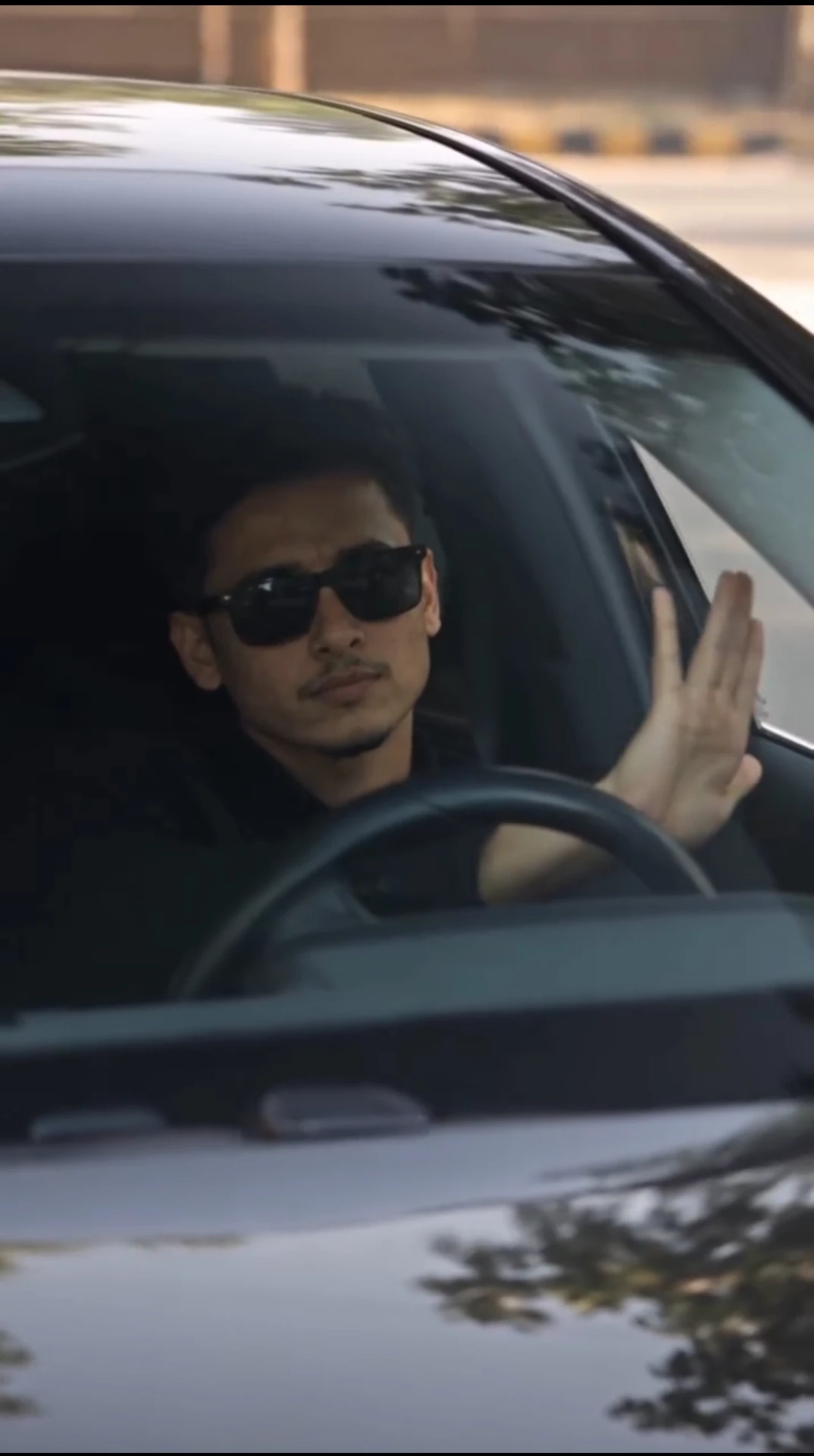
A black car rolls into the frame, the camera pushes in through the windshield, and the driver looks up and waves like he just spotted a friend. Simple idea, but it looks great on a phone screen. This prompt helps you make that clip with an AI video tool.
What Happens in the Clip
The video opens with a front view of a black luxury sedan. Then the camera moves closer, right through the glass, until you are looking at the driver and the steering wheel. He leans back a little, smiles, lifts his hand in a casual wave and moves his head to the beat.
The sunlight is strong and direct. It cuts across the windshield and his face, so you get warm highlights and sharp shadows. That contrast is what gives the clip its cinematic feel.
Copy the Prompt
Subject & Character: A young South Asian man with curly dark hair, a light mustache, and a slight goatee, wearing a light pink and white plaid button-down shirt. He has an expressive, joyful face with an engaging, confident smile. Setting & Environment: Sitting inside the driver's seat of a modern luxury black Mercedes-Benz car. The car has beige/tan leather interior headrests and seats. Bright, direct outdoor sunlight streams across the windshield and his face, casting crisp, warm highlights and sharp shadows. Action & Motion: The video starts with a front exterior view of the black Mercedes sedan. The camera then zooms in directly through the front windshield onto the driver. He leans back slightly, smiles cheerfully, lifts his hand playfully toward the windshield/camera in a casual greeting or wave, bobs his head subtly to the rhythm, and turns his head smoothly while maintaining a bright, charismatic smile. Camera & Style: Front windshield point-of-view, starting with a medium shot of the car and smoothly zooming in to a tight medium close-up of the driver's face and steering wheel. Realistic cinematic lighting, 4K resolution, high dynamic range, natural depth of field, vibrant daylight contrast, aesthetic social media reel style.How to Use It
- Open an AI video generator that supports text or image-to-video.
- Paste the full prompt as it is.
- If your tool allows a start image, upload a reference photo of a driver in a car.
- Choose a vertical 9:16 format for Reels and Shorts.
- Generate two or three versions and pick the smoothest one.
Why the Prompt Is Split Into Four Parts
Video tools understand a prompt better when it is broken into clear blocks. Subject tells the tool who is in the frame. Setting sets the car and the light. Action describes what moves and in what order. Camera controls the zoom and the look. If one part feels off in your result, you can edit just that block and leave the rest.
Small Changes You Can Try
- Change the car color or the interior color.
- Swap the shirt for a plain black or white one.
- Make the wave slower, or replace it with a nod.
- Try evening light instead of noon sun for a softer mood.
- Add sunglasses if you want a cooler, calmer look.
Common Problems
Hands are the trickiest part in AI video. If the wave looks strange, shorten the action to "raises one hand and waves once". Glass reflections can also get messy, so if the windshield looks too foggy, add "clear windshield, minimal reflections" at the end.
Before You Post
Do not use a real person's face without their permission. Avoid using car brand names in a way that suggests the brand is involved. When you share the clip, add a line that it was made with AI. It keeps things honest and viewers appreciate it.
Wrapping Up
Good light, a clean camera move and one small action are enough for a reel people watch till the end. Save this prompt, test it with a few changes, and keep the version that feels most natural to you.



Comments