 Sandip Barman
Dussehra is around the corner, and you already know what’s coming — the same recycled WhatsApp forwards, pixelated Ravana graphics, and that one “Happy Dussehra” template your uncle has been sending since 2019. Boring, right?
Now imagine posting a Dussehra image so stunning that people screenshot it and slide into your DMs asking, “Bro, which app did you use?”
That’s totally possible. And the secret weapon is a well-crafted Dussehra AI photo prompts.
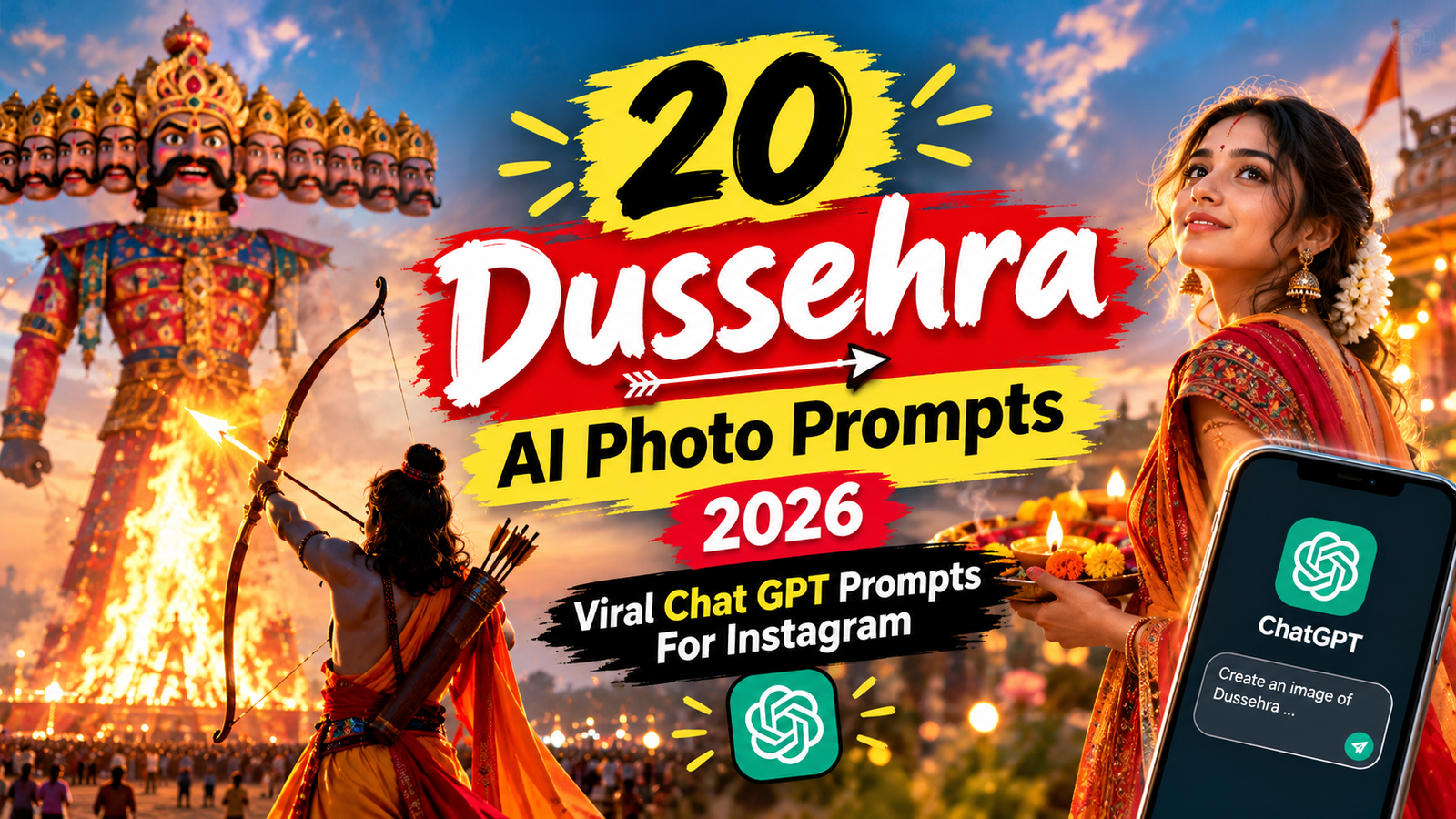
In this article, we’re handing you 20 carefully engineered Gemini prompts that you can copy, paste, and use to generate jaw-dropping Dussehra visuals in seconds. No design skills required, no expensive software needed — just your phone and Google Gemini.
Navratri Dandiya AI Photo Editing Prompts for Boys & Girls
What Is a Dussehra AI Photo Prompts and How Does It Work?
In simple terms, a Dussehra AI photo prompts is a detailed text instruction you feed into an AI image generator like Google Gemini, Midjourney, or DALL·E. The AI reads your description and creates a brand-new image from scratch.
The more specific and descriptive your prompt, the more realistic and creative the output will be.
For example, if you just type “Dussehra image”, the AI has no clear direction. But if you type “cinematic wide shot of a Ravana effigy burning at night with orange flames reflecting on a crowd’s faces, hyper-realistic, 8K”, the result will be on a completely different level.
That’s the difference between a forgettable AI image and one that actually goes viral.
Why Should You Try These Dussehra AI Prompts in 2026?
1. Social Media Algorithms Reward Fresh Visuals
Instagram, X (formerly Twitter), and WhatsApp Status all prioritize unique content. AI-generated festive images are still relatively novel, which means higher engagement by default.
2. Zero Cost, Maximum Impact
Google Gemini’s image generation feature is available for free (with daily usage limits). You don’t need a Canva Pro subscription or a Photoshop license.
3. The Gen Z Aesthetic Is the AI Aesthetic
Surreal lighting, cinematic color grading, hyper-detailed textures — AI delivers all of this effortlessly, and this is exactly the visual language that resonates with Gen Z audiences.
4. The Power of Personalization
You can add your name, your city, or your favorite color palette directly into the prompt to create a truly one-of-a-kind Dussehra image that nobody else has.
20 Best Dussehra AI Photo Prompts for Gemini (2026 Edition)
Copy any of the prompts below and paste them directly into Gemini’s image generation chat. Each prompt covers a different vibe and style, so pick the one that matches your aesthetic.
Ravan Dahan Aur Mela Ke Liye Prompts
1. Ravan Dahan Ki Raat Portrait
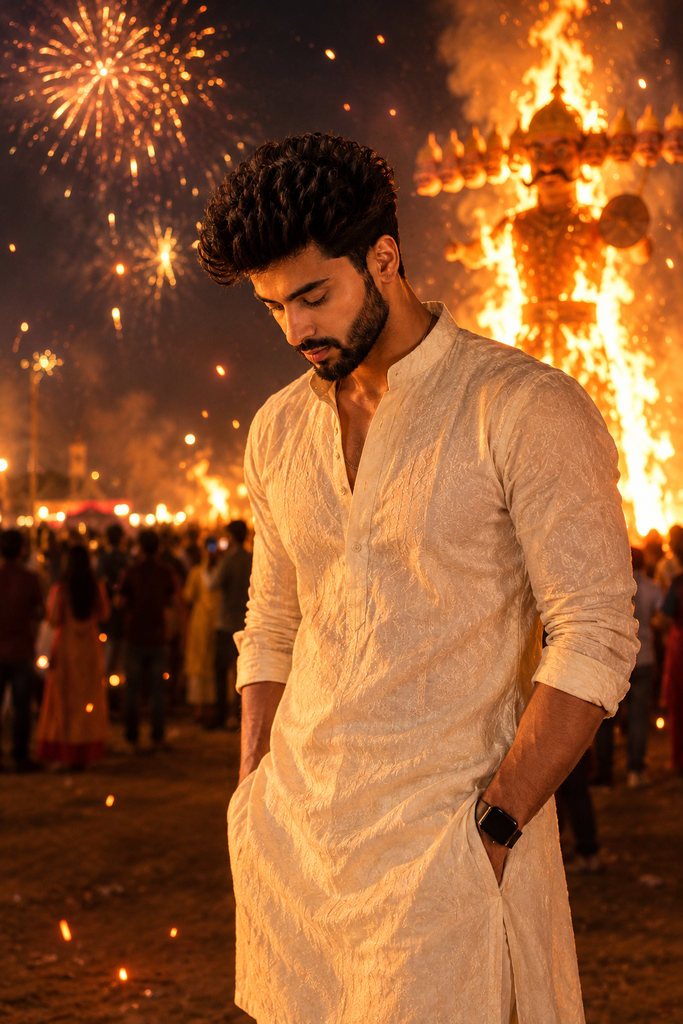
Meri uploaded photo ko Dussehra ki raat ke portrait me badlo. Peeche door ravan dahan ki badi aag aur chingariyan, aasmaan me aatishbazi ki glow, aas-paas halki bheed blur me. Mere chehre par aag ki warm roshni pade. Kurta ya traditional kapde. Chehra aur hairstyle bilkul same rakho.
2. Mela Polaroid Memory
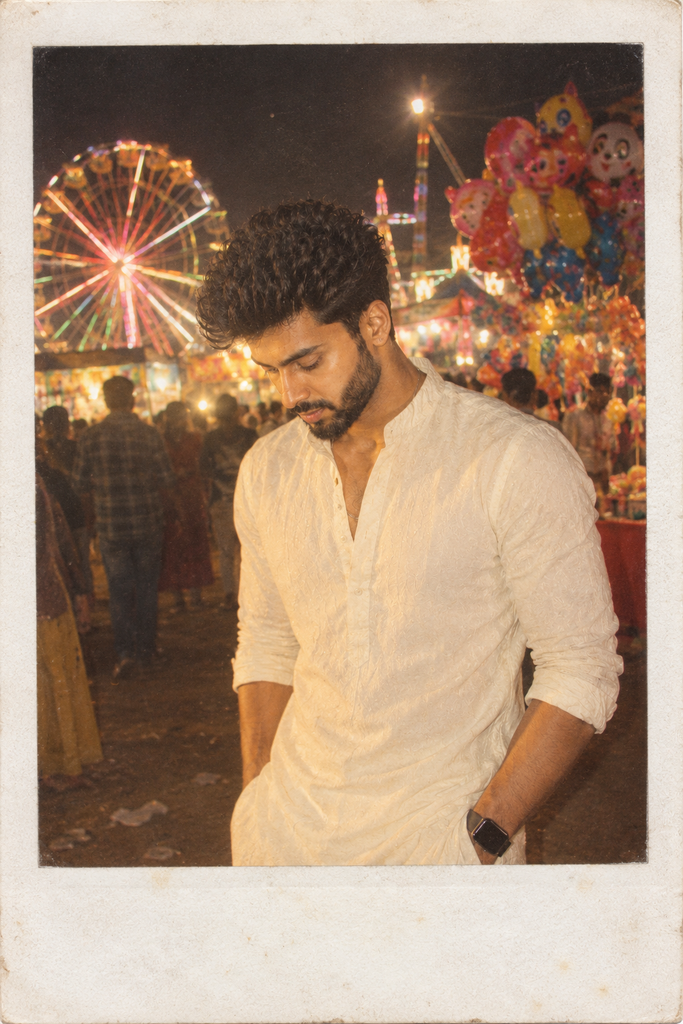
Meri photo ko ek purani Polaroid photo me badlo jo Dussehra mela me kheechi gayi ho. Safed border, halka flash glow, peeche rang-birange jhoole aur gubbare wale. Faded warm colours, film grain. Chehra same rahe.
3. Jhoole Par Hansi Ka Pal
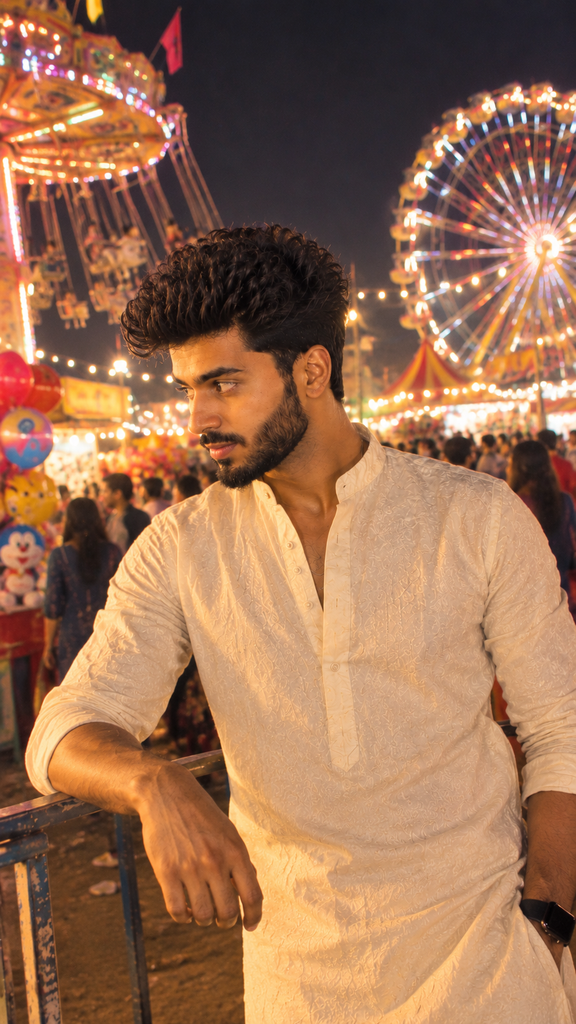
Meri photo ko mela ke bade jhoole par hanste hue shot me badlo. Shaam ki fairy lights, peeche chakri aur stalls, hawa me udta dupatta ya kurta. Candid look, chehra bilkul same rakho.
4. Mela Street Food Moment
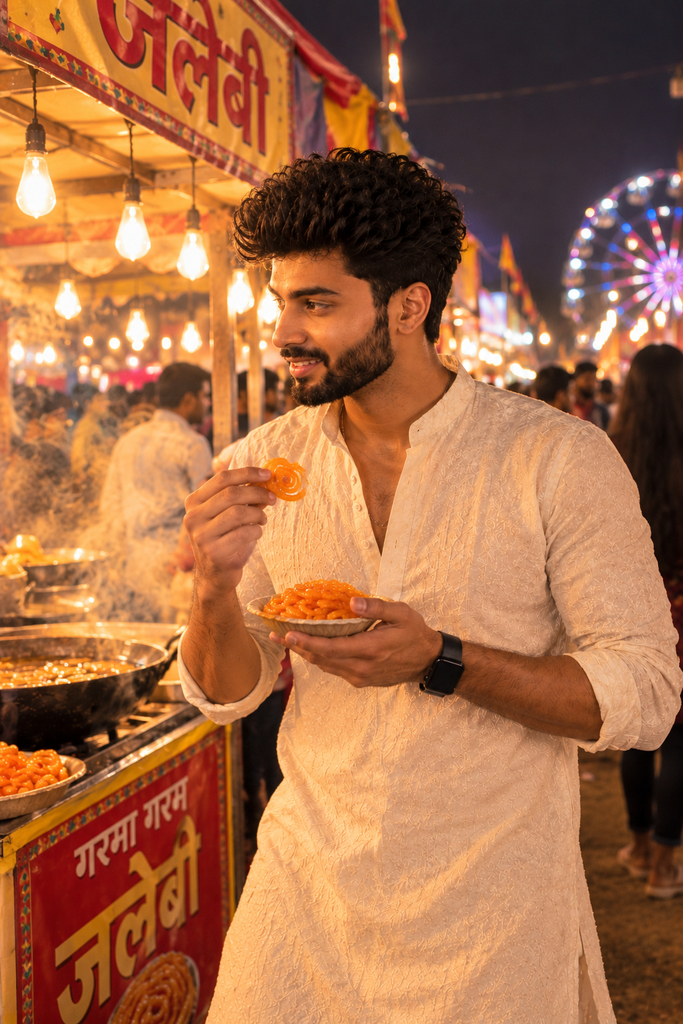
Meri photo ko Dussehra mela ke jalebi stall par khade hue shot me badlo. Haath me garam jalebi ka dona, peeche steam aur hanging bulbs, aas-paas bheed blur me. Warm evening light. Chehra same rakho.
Y2K Flash Aur Retro Style Prompts
5. Y2K Flash Festive Selfie
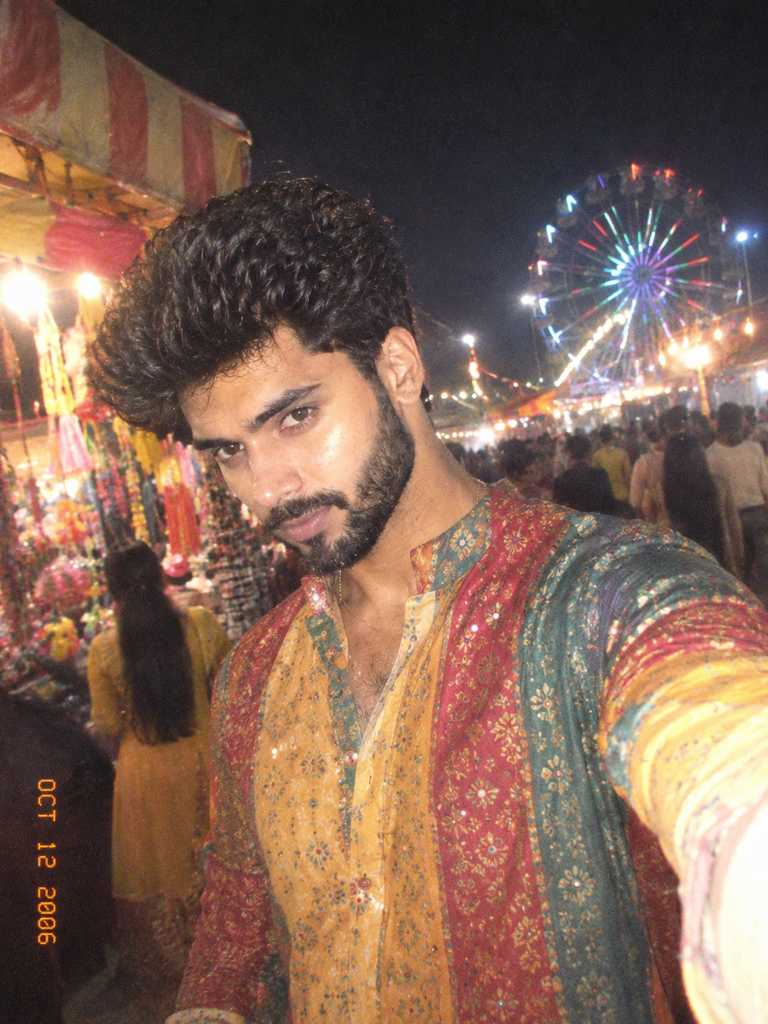
Meri photo ko Y2K style direct-flash festive selfie me badlo. Halka washed colour, early-2000s digital camera grain, peeche mela ki lights. Rang-birangi traditional outfit. Chehra aur skin texture bilkul same rakho.
6. 90s Film Mela Poster
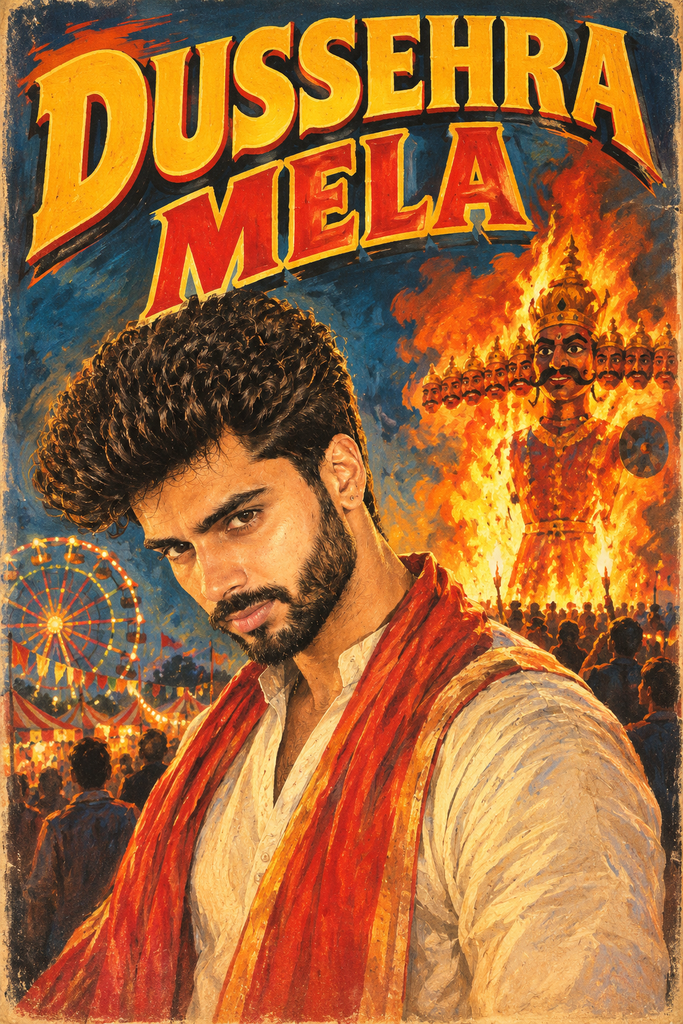
Meri photo ko 90s ke hand-painted Hindi film poster me badlo. Dramatic colours, peeche ravan dahan ka scene, upar bada title "DUSSEHRA MELA". Mera chehra pehchaan me rahe.
Girls Ke Liye Dussehra Prompts
7. Rangoli Aur Dandiya Mix Look
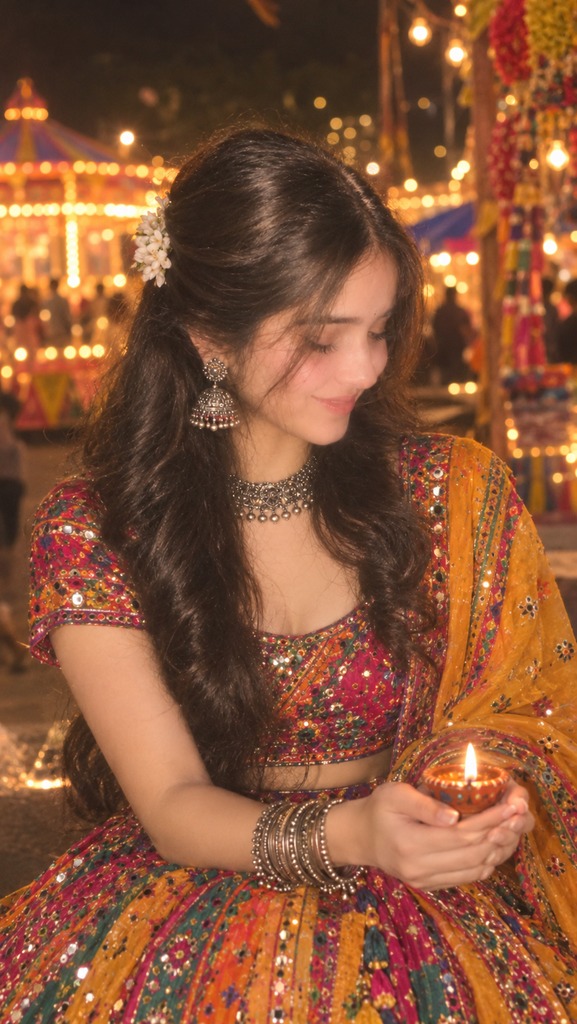
Meri photo ko festive portrait me badlo. Mujhe rang-birangi chaniya choli ya saree pehnao, oxidised jewellery ke saath, haath me chhote diye. Peeche mela ki warm lights aur soft bokeh. Natural skin texture, chehra same rakho.
8. Elegant Yellow Saree Portrait
Meri photo ko Dussehra ke subah ke puja portrait me badlo. Peeli silk saree, gajra, halki gold jewellery, haath me puja ki thali. Peeche marigold ki mala aur soft morning light. Chehra bilkul same rakho.
Boys Ke Liye Dussehra Prompts
9. Royal Kurta Aur Jacket Look
Meri photo ko Dussehra mela ke portrait me badlo. Dark maroon kurta, gold detailing wali jacket, peeche aatishbazi ki glow aur mela ki lights. Cinematic lighting. Chehra aur hairstyle same rakho.
Couple Aur Family Prompts
10. Couple Mela Walk
Hum dono ki photo ko Dussehra mela me haath pakad kar chalte hue shot me badlo. Rang-birange stalls, fairy lights, hawa me gubbare. Traditional kapde, romantic warm look. Dono ke chehre bilkul same rakho.
11. Family Ravan Dahan Dekhte Hue
Hamari family ki photo ko ravan dahan dekhte hue shot me badlo. Sab ke chehre par aag ki warm roshni, peeche badi bheed aur aatishbazi. Bachche kandhon par, sab traditional kapdon me. Sabke chehre same rakho.
12. Miniature Mela Diorama
Meri photo ko ek chhote mela diorama me ek tiny figure bana do. Chhote jhoole, stalls, ravan dahan ka mini scene aur tilt-shift lens look. Chhoti figure me mera chehra pehchaan me rahe.
More Coming Soon
How to Generate AI Images in Gemini / Chat Gpt (Quick Guide)
If you’ve never generated an image with Gemini / Chat Gpt before, follow these simple steps:
- Open Gemini/Chat Gpt — Go to gemini.google.com/ Chat Gpt in your browser or download the Gemini app.
- Sign in — Log in with your Google account.
- Enable image generation — Type “Generate an image” or “Create a picture” in the chat. Gemini will automatically switch to image mode.
- Paste your prompt — Copy any of the prompts above and paste it into the chat.
- Wait a few seconds — Your image will be ready in 10–30 seconds.
- Refine if needed — If the result isn’t perfect, send a follow-up prompt like “make the flames brighter” or “change the background to a temple”.
Pro Tips for Better Dussehra AI photo prompts
- Be specific with lighting: Words like “golden hour,” “neon glow,” and “dramatic shadows” give the AI clear visual direction.
- Mention the art style: Specify “photorealistic,” “anime,” “oil painting,” or “watercolor” to control the output aesthetic.
- Add resolution keywords: Including “8K,” “4K,” or “ultra-detailed” noticeably improves quality.
- Iterate and experiment: Your first attempt rarely produces the perfect image. Tweak the prompt and try again.
- Specify the aspect ratio: If you need an Instagram Story image, add “vertical 9:16 aspect ratio” to your prompt.
Final Thoughts
There’s absolutely no reason to send the same old WhatsApp forwards this Dussehra. With these 20 Dussehra AI photo prompts ideas, you can create images that genuinely impress people and take your social media game to the next level.
The best part? It’s free, fast, and ridiculously fun.
Now it’s your turn — pick your favorite prompt from the list above, paste it into Gemini, and watch the magic happen. If you create something amazing, tag us on social media — we’d love to see it!
👉 Explore more trending AI prompts on our website and stay ahead of the creative curve this festive season.
FAQs
1. Is the Dussehra AI photo prompts feature free in Chat Gpt?
Yes, chat gpt basic image generation is free to use. You can generate a limited number of images per day at no cost.
2. Will these prompts work in Midjourney or DALL·E as well?
Absolutely. These prompts are universal and work across Midjourney, DALL·E 3, and most other AI image generators. You may need to adjust the syntax slightly depending on the platform.
3. Is it safe to post AI-generated Dussehra images on social media?
Yes, for personal and non-commercial use, it’s completely fine. If you plan to use the images commercially, check the terms of service of the AI platform you’re using.
4. My prompt isn’t producing the perfect image. What should I do?
Make your prompt more specific. Clearly mention the lighting, style, camera angle, and mood. Try multiple iterations — patience is key in AI art.
5. Can I add my name or photo to the AI-generated image?
You can include text-based customizations (like your name) directly in the prompt. For photo references, some AI tools allow you to upload a reference image alongside your prompt.