 Sandip Barman
Diwali is a special time to celebrate with beautiful outfits, glowing diyas, colorful decorations, and memorable photographs. If you want to give your festive pictures a fresh look, a Diwali girl AI photo editing prompt can help you create attractive portraits without spending hours editing every detail manually.
From traditional red sarees to glamorous lehengas and cinematic nighttime portraits, AI image editing offers plenty of creative possibilities. You can experiment with different outfits, lighting styles, and festive backgrounds while using your own photograph as a reference.
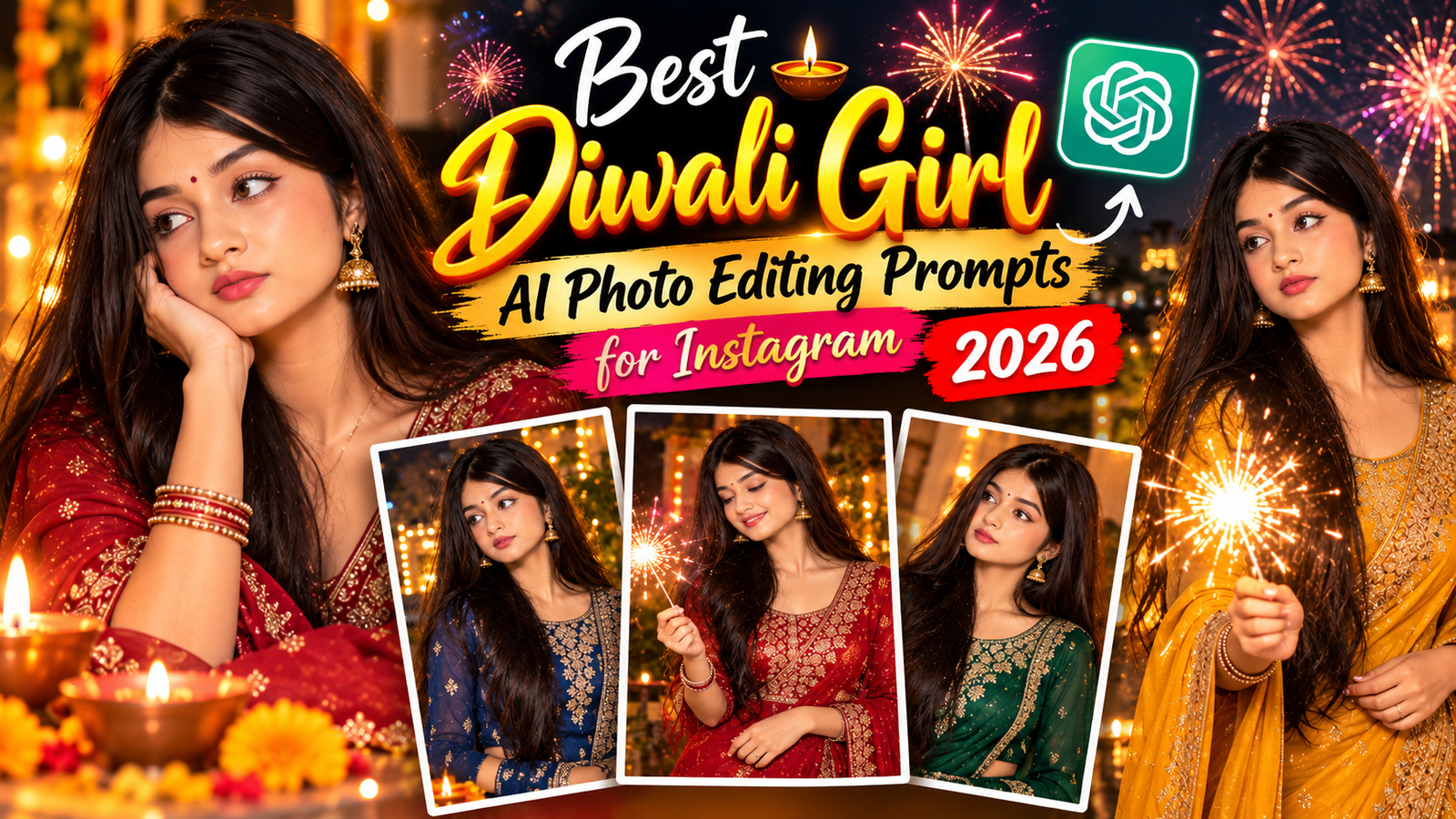
In this guide, you will find 10 ready-to-copy prompts for creating beautiful Diwali pictures for Instagram. Every Diwali girl AI photo editing prompt includes specific instructions for clothing, lighting, composition, and facial identity preservation when editing a personal photograph. You can try them with Gemini, ChatGPT, or another compatible AI image tool that supports your chosen workflow.
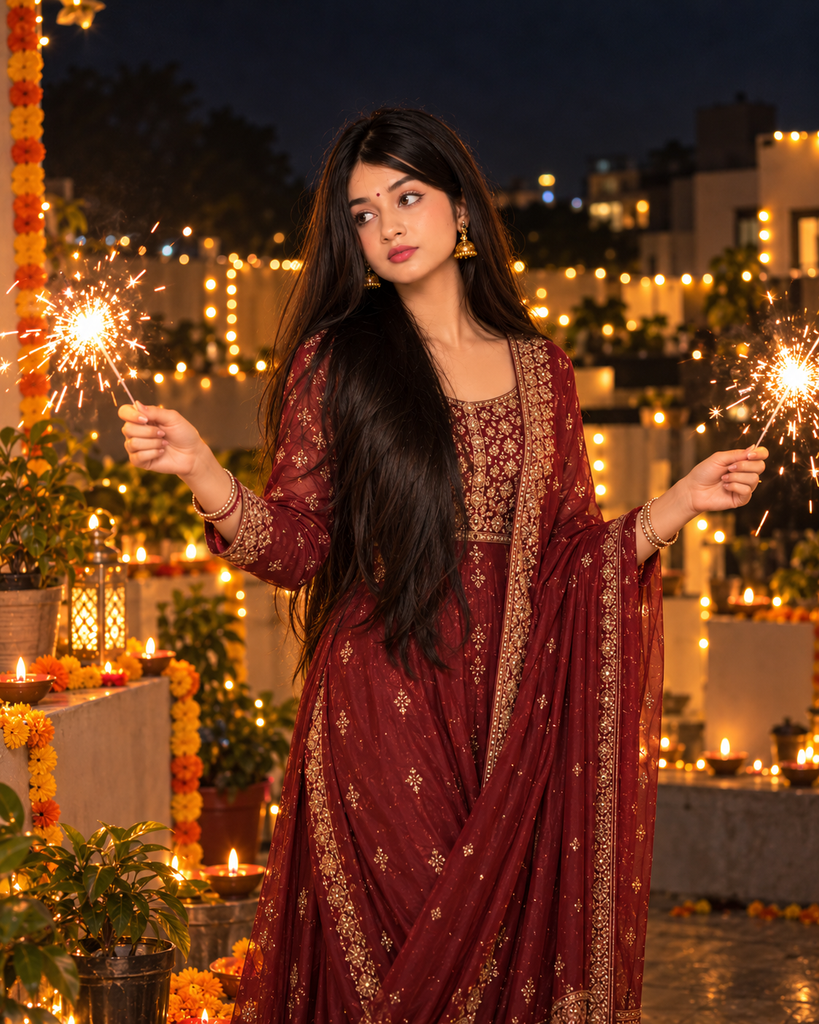
Create a festive nighttime portrait using my uploaded photo as the reference. Show me standing in an elegant traditional outfit, holding a small lit sparkler in each hand with my arms extended slightly outward in a relaxed, balanced pose.

Preserve my actual face, identity, skin tone, and recognizable features. Keep both hands anatomically correct and ensure the sparkler grips look natural. Add golden spark trails, warm fairy lights, and a few diyas in the background. Use realistic nighttime exposure, soft illumination on the face, detailed clothing textures, and deep cinematic shadows. Keep the scene photorealistic rather than illustrated. Vertical 4:5 composition.
1. Traditional Red Saree Diwali Girl AI Photo Editing Prompt
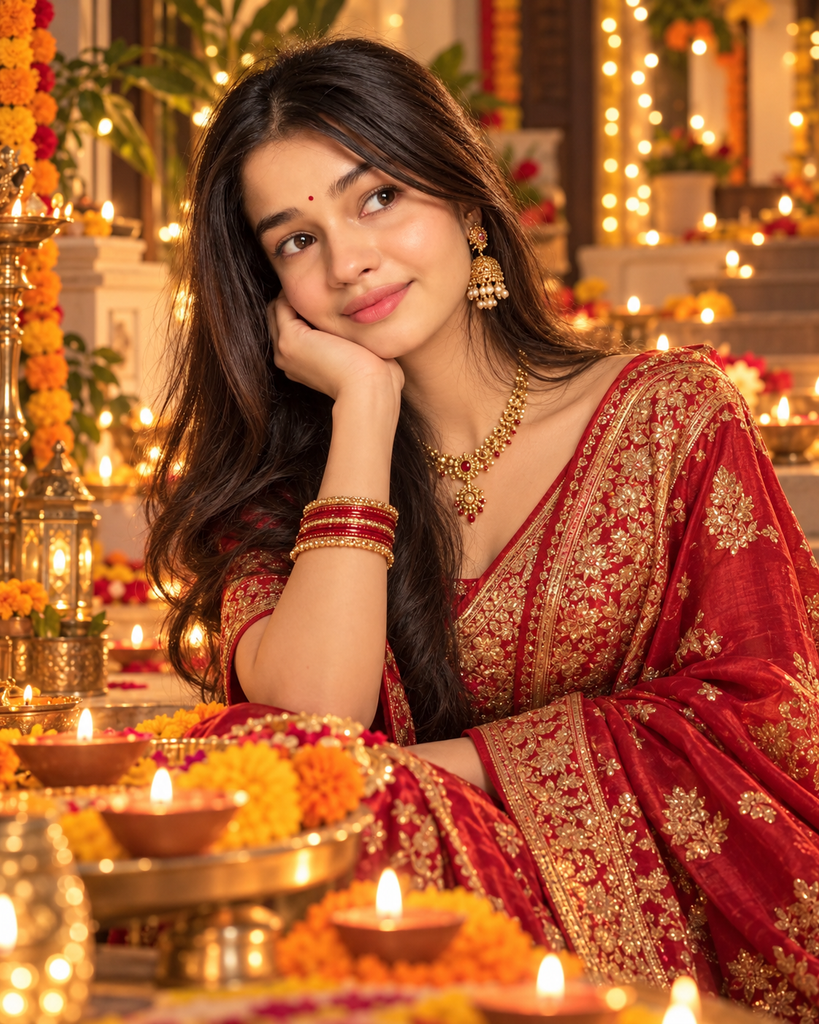
Use this Diwali girl AI photo editing prompt if you want a classic festive appearance with glowing diyas and a softly blurred background.
Copy this prompt:
Edit my uploaded photo into a beautiful, photorealistic Diwali portrait. Dress me in an elegant red silk saree with intricate golden embroidery, traditional gold earrings, a matching necklace, and a small red bindi. Add subtle festive makeup while keeping my appearance natural.

Preserve my actual facial identity, facial proportions, skin tone, and recognizable features. Do not replace my face, reshape my facial features, or apply excessive beauty filters.

Place me in a decorated Indian home with glowing clay diyas, marigold flowers, and warm golden fairy lights. Use soft evening lighting, realistic fabric textures, natural shadows, and a gently blurred background.

Create a graceful pose with realistic skin details and premium DSLR portrait photography quality. Use balanced red and gold colors, natural proportions, and a vertical 4:5 composition suitable for Instagram.
2. Golden Lehenga Diwali Girl AI Photo Editing Prompt
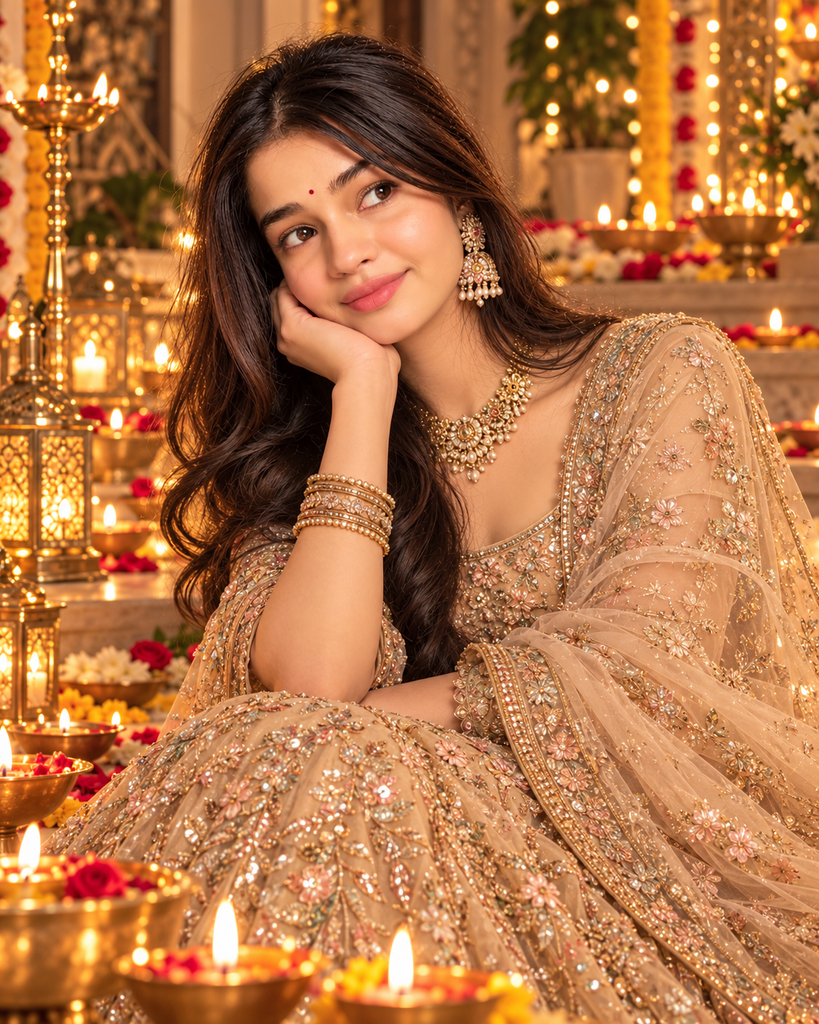
Choose this Diwali girl AI photo editing prompt when you want your Instagram photo to look like a professional festive fashion shoot.
Copy this prompt:
Transform my uploaded reference photo into an elegant Diwali fashion portrait. Dress me in a champagne-gold lehenga with intricate embroidery, delicate traditional jewelry, and sophisticated festive makeup. Make the outfit realistic, graceful, and beautifully detailed.

Preserve my real face, facial proportions, natural skin tone, and recognizable identity. Do not replace my face or make unrealistic changes to my appearance.

Create a luxurious Indian festive background with glowing brass lamps, golden fairy lights, and subtle floral decorations. Use soft cinematic lighting, realistic jewelry reflections, natural shadows, and detailed fabric textures.

Keep the background slightly blurred so the subject remains the main focus. Use premium Indian fashion photography, realistic skin texture, warm golden tones, and a vertical 4:5 Instagram portrait composition.
3. Aesthetic Diwali Girl AI Photo Editing Prompt with Diyas
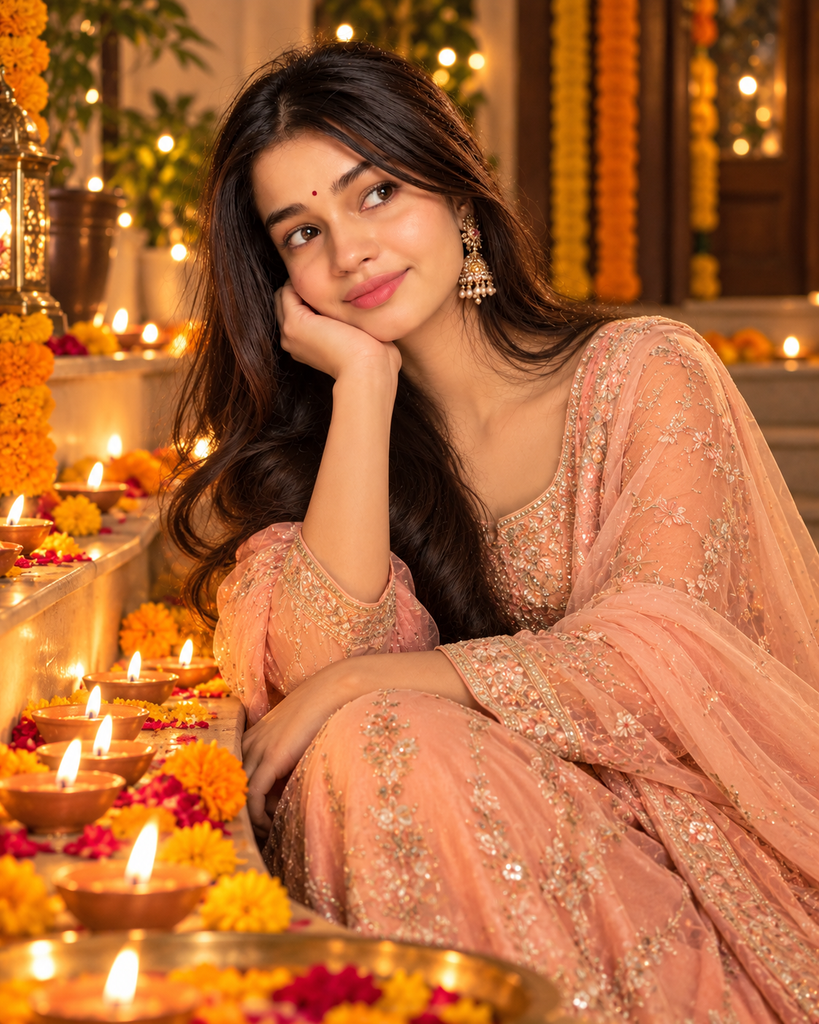
This Diwali girl AI photo editing prompt is ideal for creating a cozy, natural-looking festive portrait rather than a heavily edited fashion image.
Copy this prompt:
Edit my uploaded photo into a soft, aesthetic Diwali portrait. Dress me in a pastel peach traditional suit with delicate embroidery, minimal jewelry, and natural makeup.

Preserve my original facial identity, skin tone, facial proportions, and recognizable features. Keep my expression natural and avoid artificial skin smoothing.

Place me sitting gracefully beside a row of glowing clay diyas in a cozy Indian home. Add subtle marigold decorations, warm candlelight, and a softly illuminated background.

Use realistic diya flames, gentle shadows, natural fabric folds, and warm highlights on the face. Create a calm, elegant atmosphere with authentic colors and professional portrait photography.

Avoid excessive glow, unrealistic skin, and distracting decorations. Use a vertical 4:5 composition suitable for Instagram.
4. Dark Cinematic Nighttime Diwali Girl AI Photo Editing Prompt

Try this Diwali girl AI photo editing prompt if you prefer a moody nighttime aesthetic with realistic low-light photography.
Copy this prompt:
Turn my uploaded photo into a dark, cinematic Diwali night portrait. Style me in a deep maroon ethnic outfit with elegant golden details and minimal traditional jewelry.

Preserve my actual facial identity, natural skin tone, facial proportions, and recognizable features. Keep my original expression and hairstyle unless a small adjustment is specifically requested.

Create a nighttime setting with distant glowing diyas, warm decorative lights, and soft golden bokeh. Maintain a genuinely dark atmosphere instead of making the scene look like daytime.

Use deep charcoal shadows, rich maroon tones, controlled highlights, realistic low-light photography, subtle 35mm film grain, and natural skin texture. Keep the face softly illuminated and the background blurred.

Photorealistic cinematic portrait, realistic shadows, vertical 4:5 aspect ratio for Instagram.
5. Royal Blue Suit Diwali Girl AI Photo Editing Prompt
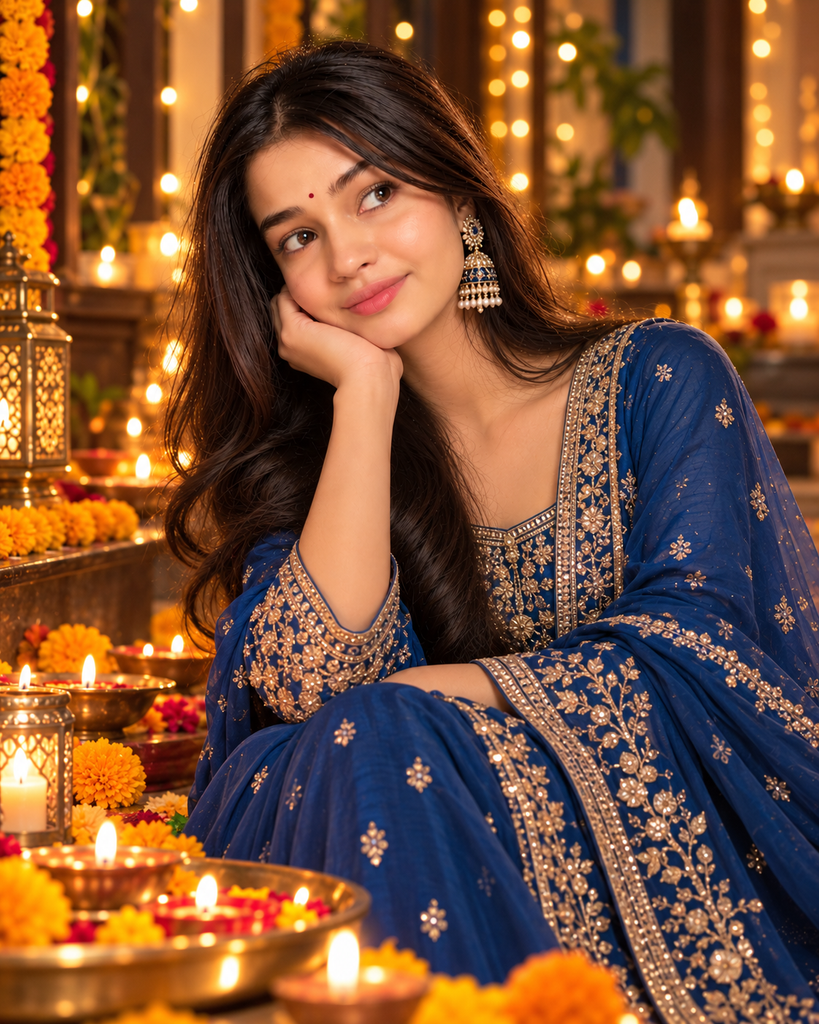
Use this Diwali girl AI photo editing prompt to create a stylish portrait with a royal-blue suit, delicate embroidery, and a decorated Indian home.
Copy this prompt:
Edit my reference photo into an elegant Diwali portrait. Dress me in a royal-blue Indian suit with delicate embroidery, a matching dupatta, tasteful earrings, and subtle festive makeup.

Keep my actual face, facial proportions, natural skin tone, and recognizable features unchanged. Avoid unrealistic facial modifications and excessive retouching.

Set the scene in a decorated Indian home with glowing diyas, warm fairy lights, and a few marigold flowers. Create a beautiful contrast between the cool blue outfit and the warm golden background lighting.

Add realistic fabric folds, natural shadows, detailed embroidery, and professional portrait photography. Keep the composition uncluttered and the background softly blurred.

Photorealistic finish, natural skin texture, elegant festive atmosphere, vertical 4:5 Instagram composition.
6. Rangoli and Marigold Diwali Girl AI Photo Editing Prompt
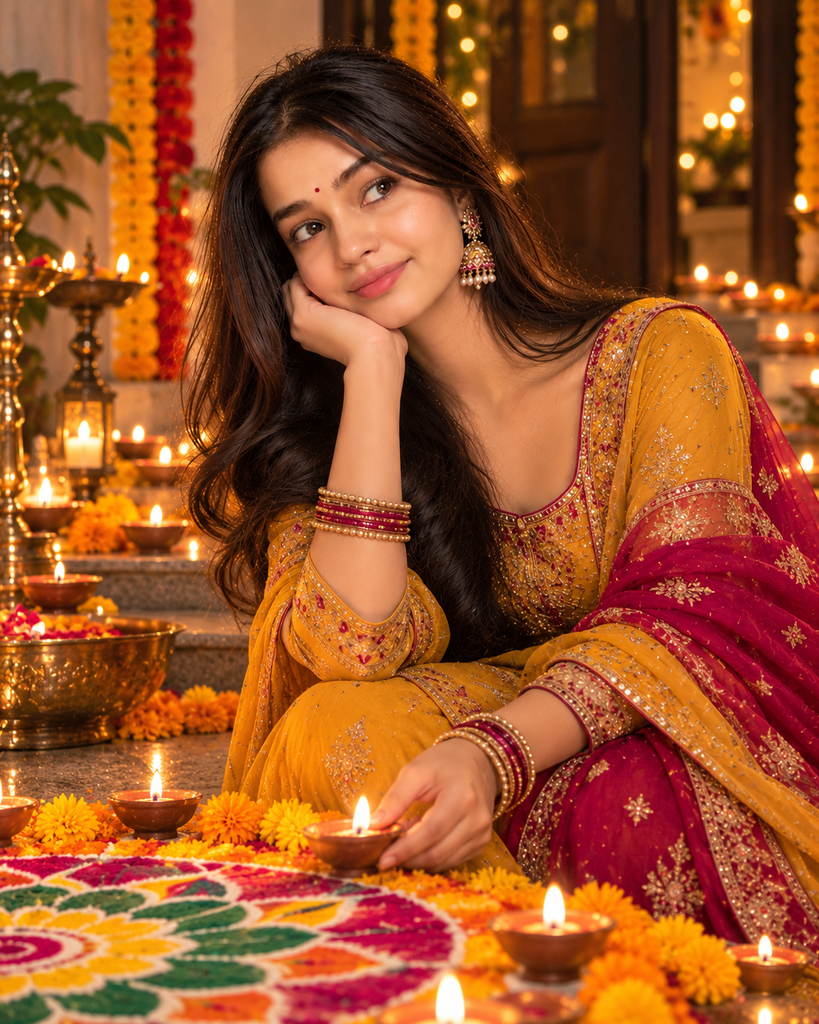
This Diwali girl AI photo editing prompt combines an ethnic outfit with realistic rangoli patterns and small glowing diyas.
Copy this prompt:
Transform my uploaded photo into a traditional Diwali festival portrait. Dress me in a mustard-yellow and magenta ethnic outfit with elegant earrings, subtle jewelry, and natural festive makeup.

Preserve my real face, identity, facial structure, skin tone, and natural expression. Do not change my recognizable features.

Place me beside a beautiful rangoli made with colorful powders and surrounded by marigold flowers and small clay diyas. Create a realistic Indian home setting with warm evening light and tasteful festive decorations.

Use natural shadows, realistic rangoli patterns, detailed clothing textures, and balanced festive colors. Keep the scene authentic and avoid excessive decorative elements.

High-quality photorealistic portrait, natural proportions, vertical 4:5 format for Instagram.
7. Close-Up Diwali Girl AI Photo Editing Prompt with Golden Bokeh
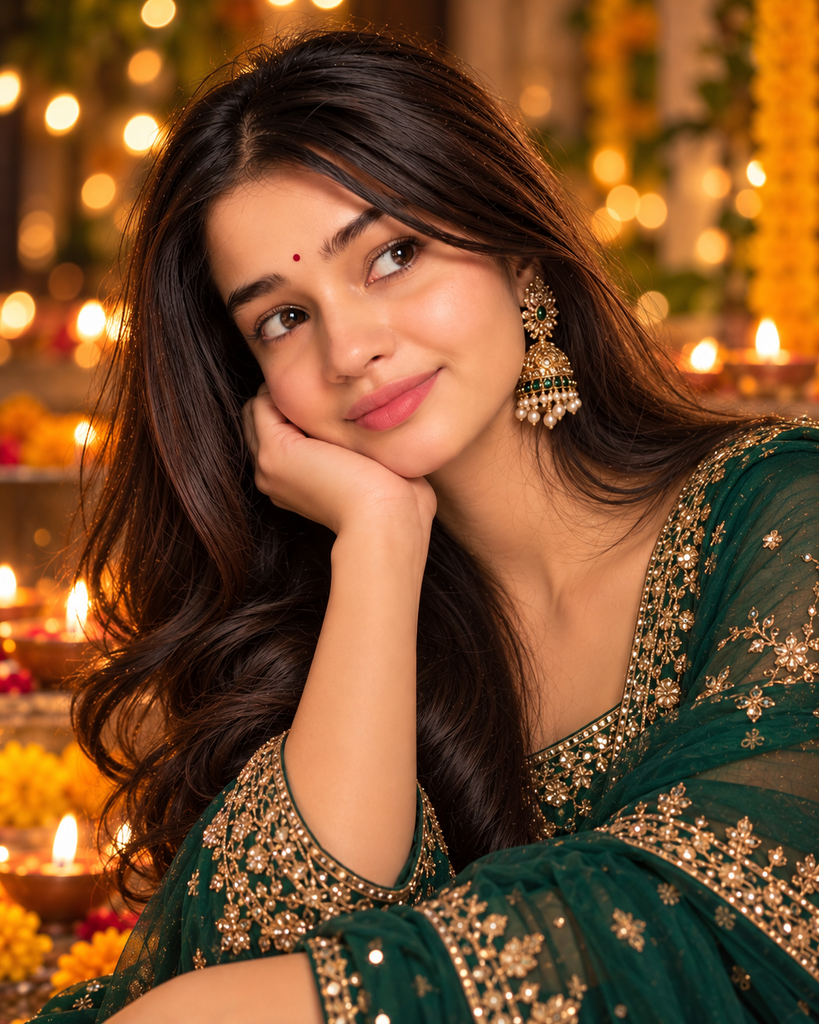
Choose this Diwali girl AI photo editing prompt when you want an elegant Instagram portrait with a softly blurred festive background.
Copy this prompt:
Create a close-up festive portrait using my uploaded photo as the reference. Style me in an emerald-green ethnic outfit with delicate gold earrings, a small bindi, and soft traditional makeup.

Preserve my actual facial identity, eye shape, skin tone, facial proportions, and recognizable features. Maintain realistic pores and natural skin texture without reshaping my face.

Add a softly blurred background with golden fairy-light bokeh and a few distant glowing diyas. Use gentle portrait lighting, realistic shadows, natural highlights, and a professional portrait-lens effect.

Keep my face sharply focused and the background elegant and uncluttered. Use realistic colors, detailed fabric texture, and a premium editorial photography style.

Photorealistic close-up, vertical 4:5 aspect ratio, Instagram-ready composition.
8. No Diwali Girl AI Photo Editing Prompt
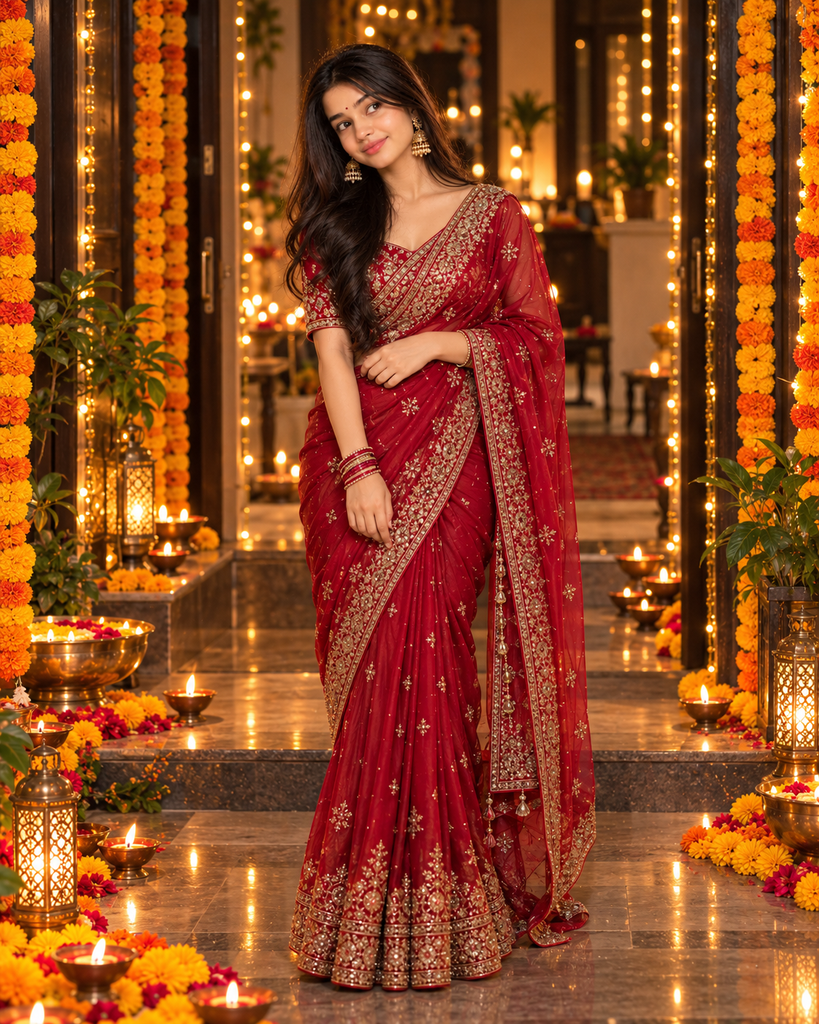
This Diwali girl AI photo editing prompt combines black clothing, subtle golden details, and modern festive lighting for a sophisticated look.
Copy this prompt:
Create a stylish full-body portrait in which the girl stands confidently in a traditional red saree, with one hand resting naturally at her waist and the other gently holding her dupatta. Add golden jewelry, elegant makeup, and a decorated Diwali entrance with glowing diyas and warm fairy lights.

Preserve the original facial identity, skin tone, facial proportions, and recognizable features from the uploaded reference photo. Maintain natural body proportions and realistic hands. Use professional DSLR photography, detailed fabric textures, soft evening lighting, and a beautifully blurred festive background. Show the entire outfit from head to toe. Photorealistic, vertical 4:5 composition for Instagram.
9. Cute Diwali Girl AI Photo Editing Prompt with a Natural Smile

Use this Diwali girl AI photo editing prompt for a bright, welcoming Instagram post.
Copy this prompt:
Edit my uploaded photo into a realistic Diwali night scene. Show me standing outdoors in an elegant ethnic outfit while holding a lit phuljhari in one hand. Capture the moment when golden sparks spread naturally through the dark evening air, illuminating my face and clothing.
Keep my actual face, skin tone, facial proportions, and recognizable features unchanged. Make the pose natural, with realistic fingers and a believable grip on the sparkler. Add distant fairy lights, a few glowing diyas, and subtle festive decorations. Use cinematic nighttime photography, controlled highlights, realistic spark trails, and natural shadows. Photorealistic full-body portrait, vertical 4:5 aspect ratio.
10. no Diwali Girl AI Photo Editing Prompt

This Diwali girl AI photo editing prompt is a good option for anyone who wants a rich, luxurious look rather than a simple home portrait.
Copy this prompt:
Create a cinematic Diwali night photograph using my uploaded photo as the reference. Show me standing in a beautiful maroon ethnic outfit, looking upward at colorful fireworks illuminating the night sky. Capture a candid moment with my face slightly turned toward the lights.
Preserve my original face, facial proportions, skin tone, and recognizable features. Keep the fireworks in the distant background so they do not cover the subject. Add subtle golden reflections on the outfit, a dark evening sky, and softly illuminated houses decorated with fairy lights. Use realistic low-light photography, natural shadows, detailed fabric textures, and cinematic color grading.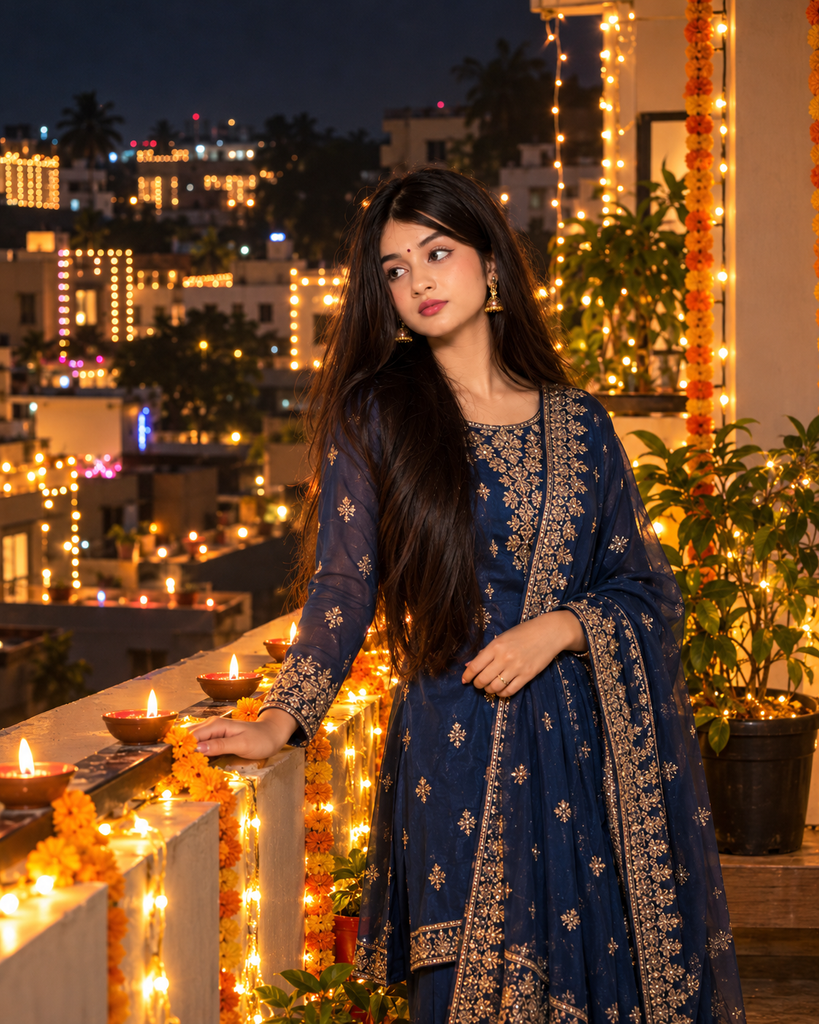
urn my uploaded photo into a candid Diwali evening portrait. Show me standing on a beautifully decorated balcony, wearing a royal-blue traditional suit with delicate embroidery. Pose me gently resting one hand on the balcony railing while looking toward the illuminated neighborhood.

Preserve my original facial identity, skin tone, facial proportions, and recognizable features. Keep the pose natural and the expression relaxed. Add warm fairy lights along the railing, a few glowing diyas, and distant festive lights across the buildings. Use realistic evening photography, subtle golden bokeh, natural shadows, and detailed fabric textures. Create a peaceful, elegant festive atmosphere with a vertical 4:5 Instagram composition.
How to Use a Diwali Girl AI Photo Editing Prompt
You can experiment with these prompts even if you have no professional photo-editing experience. Follow these steps to get started.
- Choose your favorite style: Select a red saree, golden lehenga, rangoli, or cinematic nighttime portrait.
- Copy the prompt: Copy the complete instructions for your selected look.
- Open an AI image tool: Use Gemini, ChatGPT, or another compatible tool with the necessary image-generation or editing features.
- Upload your photo: Select a clear reference image if you want to preserve your appearance.
- Paste the prompt: Submit the image and instructions together when the tool supports reference-photo editing.
- Refine the result: Request specific changes to the background, clothing, lighting, or composition if needed.
For example, after generating an image, you could write: “Keep my original face unchanged, make the background darker, and reduce the golden glow while retaining realistic diya lighting.”
The results depend on the image tool and the reference photo, so review the generated image carefully before using it.
Tips for Better Diwali AI Photo Editing Results
A detailed prompt gives the image editor clearer instructions. Use these practical tips to improve your festive portraits.
- Describe the outfit clearly: Specify the color, fabric, embroidery, jewelry, and dupatta style.
- Choose appropriate lighting: Warm diya light suits traditional portraits, while deeper shadows work well for cinematic images.
- Avoid cluttered backgrounds: One main setting, such as a decorated living room or rangoli corner, is usually easier to control.
- Preserve facial identity: When editing your own photograph, ask the tool to maintain your original facial features and skin tone.
- Select the right format: A 4:5 image is useful for Instagram feed posts, while 9:16 is suitable for Stories and Reels covers.
- Keep the result realistic: Excessive glow, artificial skin smoothing, and unrealistic shadows can reduce the natural appearance.
A Diwali girl AI photo editing prompt is a starting point rather than a guarantee of a perfect result. If the first generation changes your face or creates an unrealistic background, refine the instructions and try again.
FAQs About Diwali Girl AI Photo Editing Prompts
1. Which AI tool can I use for Diwali photo editing?
You can try Gemini, ChatGPT, or another compatible AI image editor. The available image-generation and editing features depend on the tool and your account.
2. How can I preserve my real face in a Diwali AI photo?
Upload a clear reference photo and explicitly request that the editor preserve your facial identity, proportions, skin tone, and recognizable features. Always review the result because exact preservation is not guaranteed.
3. Can I use these prompts with Gemini?
Yes, you can try the prompts in Gemini when the relevant image-generation or editing features are available. Upload your reference photo if supported and refine the result if necessary.
4. Which outfit is best for a Diwali Instagram portrait?
Red sarees and golden lehengas are classic festive options. Royal-blue suits, emerald-green outfits, and pastel ethnic wear are also suitable for different photography styles.
5. What aspect ratio should I choose for Instagram?
A 4:5 portrait is a useful choice for Instagram feed posts, while 9:16 works well for Stories and Reels covers. Check the crop before publishing to ensure the face and outfit remain visible.
6. How can I make my AI-generated festive photo look natural?
Use detailed instructions for realistic lighting, natural skin texture, fabric details, and believable shadows. Avoid excessive beauty filters and refine the prompt if the result looks artificial.
Conclusion
Creating attractive festive photographs can be easier when you have a clear idea of the outfit, lighting, and background you want. These Diwali girl AI photo editing prompts cover traditional sarees, glamorous lehengas, aesthetic diya portraits, and cinematic nighttime styles.
Choose a look that matches your personality, copy the prompt, and experiment with your favorite compatible AI tool. Once you have a result you love, add a festive caption and share your Diwali portrait on Instagram.