 Sandip Barman
The Ramayana is one of India’s most beloved epics, filled with inspiring characters, divine stories, courage, devotion and the victory of good over evil. From the majestic appearance of Lord Shri Ram and the grace of Goddess Sita to the devotion of Lord Hanuman, every character offers beautiful inspiration for creative mythological artwork.
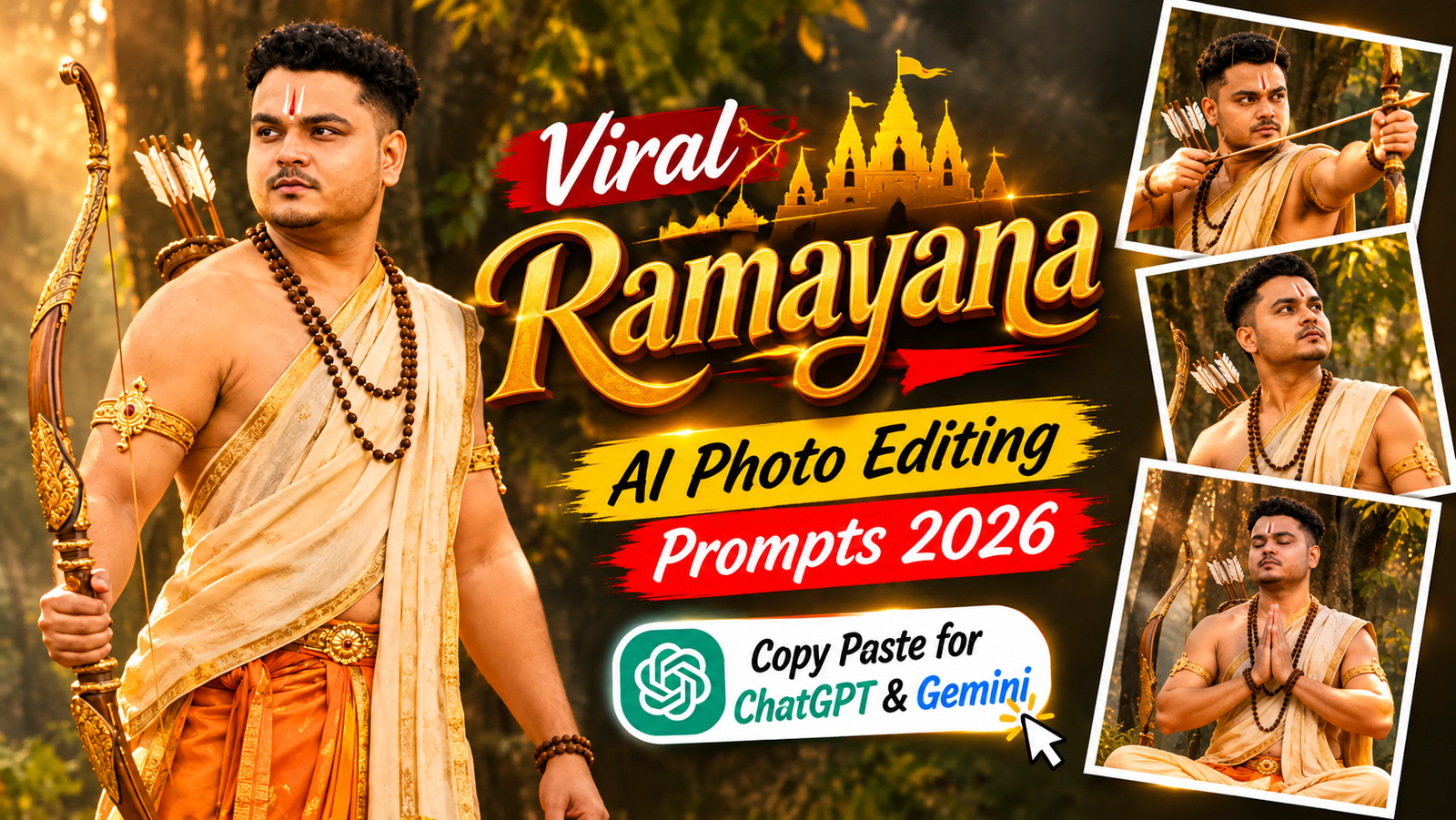
Now, you can explore these legendary stories through AI-generated images. With detailed Ramayana AI Photo Editing Prompts, you can create cinematic portraits, devotional artwork, royal scenes and epic mythological posters using ChatGPT and Google Gemini.
Join Our Channels
Get the latest AI prompts, creative ideas and updates directly on your favourite app.
In this article, you will find the best Ramayana AI Photo Editing Prompts 2026 featuring Lord Ram, Goddess Sita, Lakshman, Hanuman, Ravana, Ram Darbar and famous Ramayana-inspired scenes. You will also find personal photo-editing prompts that place you inside a mythological setting while preserving your original facial identity.
Simply choose a prompt, copy it, upload your reference photo if required and create your own Ramayana-inspired AI artwork.
What Are Ramayana AI Photo Editing Prompts?
Ramayana AI Photo Editing Prompts are detailed text instructions that help AI image generators create artwork inspired by characters, locations and important moments from the Ramayana.
You can create different types of images, including:
- Lord Shri Ram with his divine bow and arrow.
- Goddess Sita in a beautiful traditional royal outfit.
- Lord Hanuman in a powerful devotional warrior appearance.
- Lakshman standing beside Lord Ram.
- Ravana in his magnificent royal form.
- Ram Darbar featuring Lord Ram, Sita, Lakshman and Hanuman.
- Ayodhya palace and ancient forest scenes.
- Cinematic mythological movie-poster artwork.
These Ramayana AI Photo Editing Prompts can be used to create devotional wallpapers, Instagram posts, festival greetings and creative digital artwork.
How to Create Ramayana AI Images Using ChatGPT and Gemini
Follow these simple steps:
- Open ChatGPT or Google Gemini.
- Choose an AI image-generation or image-editing feature.
- Upload your reference photograph if the prompt requires one.
- Copy your favourite Ramayana AI Photo Editing Prompt.
- Paste the complete prompt into the AI tool.
- Generate your image and review the details.
- Save your favourite result for Instagram, WhatsApp or personal use.
Tip: For personal photo editing, upload a clear photograph and include facial identity-preservation instructions. For devotional character artwork, describe the character, clothing, setting and mood clearly.
Viral Ramayana AI Photo Editing Prompts 2026
Explore these creative Ramayana AI Photo Editing Prompts. Each prompt has a different mythological theme and visual concept.

Copy the AI Prompt
Copy the complete prompt below and use it as your starting point. Adjust individual visual details only when you need a different result.
Use the uploaded reference photo as the ONLY identity source. Transform the person into an original, respectful cinematic interpretation of a young prince inspired by the traditional Ramayana era.

IDENTITY PRESERVATION IS THE HIGHEST PRIORITY: Preserve the person's exact facial identity, face shape, jawline, eyes, nose, lips, eyebrows, natural skin tone, hairstyle and age. Do not beautify, reshape, retouch or redesign the face. The person must remain instantly recognizable.

Dress him in traditional ancient Indian royal clothing: elegant saffron dhoti, cream angavastram with subtle gold borders, traditional armlets, rudraksha beads and a delicate royal forehead tilak. Include a beautifully crafted traditional bow as a symbolic accessory, resting naturally beside him.

Scene: An ancient forest during golden sunrise, majestic trees, soft atmospheric mist, subtle rays of sunlight filtering through leaves, a peaceful sacred environment.

Composition: Half-body cinematic portrait, confident yet compassionate expression, natural standing pose, 85mm portrait photography, realistic skin texture, detailed traditional fabric, natural depth of field, premium Indian mythological film cinematography.

Color grade: Warm gold, earthy amber, muted forest green.

Ultra-realistic photography, vertical 4:5 composition, high detail.

Do not imitate any existing actor, movie still, or specific film costume. Do not add text, logos or watermarks.
Best AI Tools for Ramayana Photo Editing
You can experiment with these AI image generators to create Ramayana-inspired artwork:
- ChatGPT: Upload a reference photograph and describe the mythological scene or character you want to create.
- Google Gemini: Experiment with detailed prompts for devotional artwork, character portraits and cinematic backgrounds.
- Other AI image generators: Explore tools that support image references, detailed scene descriptions and high-resolution artwork.
The output depends on the AI model, prompt details and reference image. Review the final image carefully, especially the character details, clothing, facial features and traditional elements.
Tips for Better Ramayana AI Images
Follow these tips to improve your Ramayana AI Photo Editing Prompts:
- Describe the character and scene clearly.
- Mention traditional Indian clothing, ornaments and accessories.
- Use specific lighting instructions such as golden sunrise or soft temple lighting.
- Keep the composition simple when creating devotional portraits.
- Use reference photographs for personal photo edits.
- Include natural anatomy and realistic proportions.
- Avoid excessive visual effects that distract from the main character.
- Review generated images for cultural and visual accuracy.
- Use 4:5 for Instagram feed portraits and 9:16 for Stories or devotional wallpapers.
Frequently Asked Questions
1. What are Ramayana AI Photo Editing Prompts?
Ramayana AI Photo Editing Prompts are text instructions used to generate mythological artwork inspired by the Ramayana. They can feature Lord Ram, Sita, Lakshman, Hanuman, Ravana and important scenes from the epic.
2. Can I create Lord Ram AI photos using ChatGPT?
Yes. You can describe the desired devotional artwork or upload a reference image and use ChatGPT’s image-generation feature, if available.
3. Can I use Ramayana AI prompts in Google Gemini?
Yes. Copy your favourite Ramayana AI Photo Editing Prompt, paste it into Gemini and generate your preferred mythological artwork.
4. Can I transform my own photo into a Ramayana warrior?
Yes. Upload your photograph and use the personal warrior prompt in this article. You can create an ancient Indian warrior-inspired portrait while preserving your original facial identity.
5. Which Ramayana characters can I create using AI?
You can create devotional and mythological artwork featuring Lord Ram, Goddess Sita, Lakshman, Hanuman, Ravana and other characters from the Ramayana.
6. How can I make Ramayana AI images look more realistic?
Use detailed descriptions of clothing, jewellery, lighting, background and character poses. For personal portraits, upload a clear reference photograph and include facial identity-preservation instructions.
7. What image size is best for Ramayana AI artwork?
A 4:5 vertical composition works well for Instagram feed posts. A 9:16 composition is suitable for Instagram Stories, Reels covers and mobile wallpapers.
Final Words
The Ramayana continues to inspire people through its powerful characters, timeless values and beautiful stories. With these Ramayana AI Photo Editing Prompts 2026, you can explore creative devotional artwork featuring Lord Shri Ram, Goddess Sita, Hanuman, Lakshman, Ravana and iconic scenes from the epic.
Choose your favourite prompt, experiment with different mythological styles and create beautiful AI-generated artwork for Instagram, WhatsApp or your personal collection.
Jai Shri Ram!